


From Argo Astronautics | Max Crew4 | In-Game Status Flight Ready
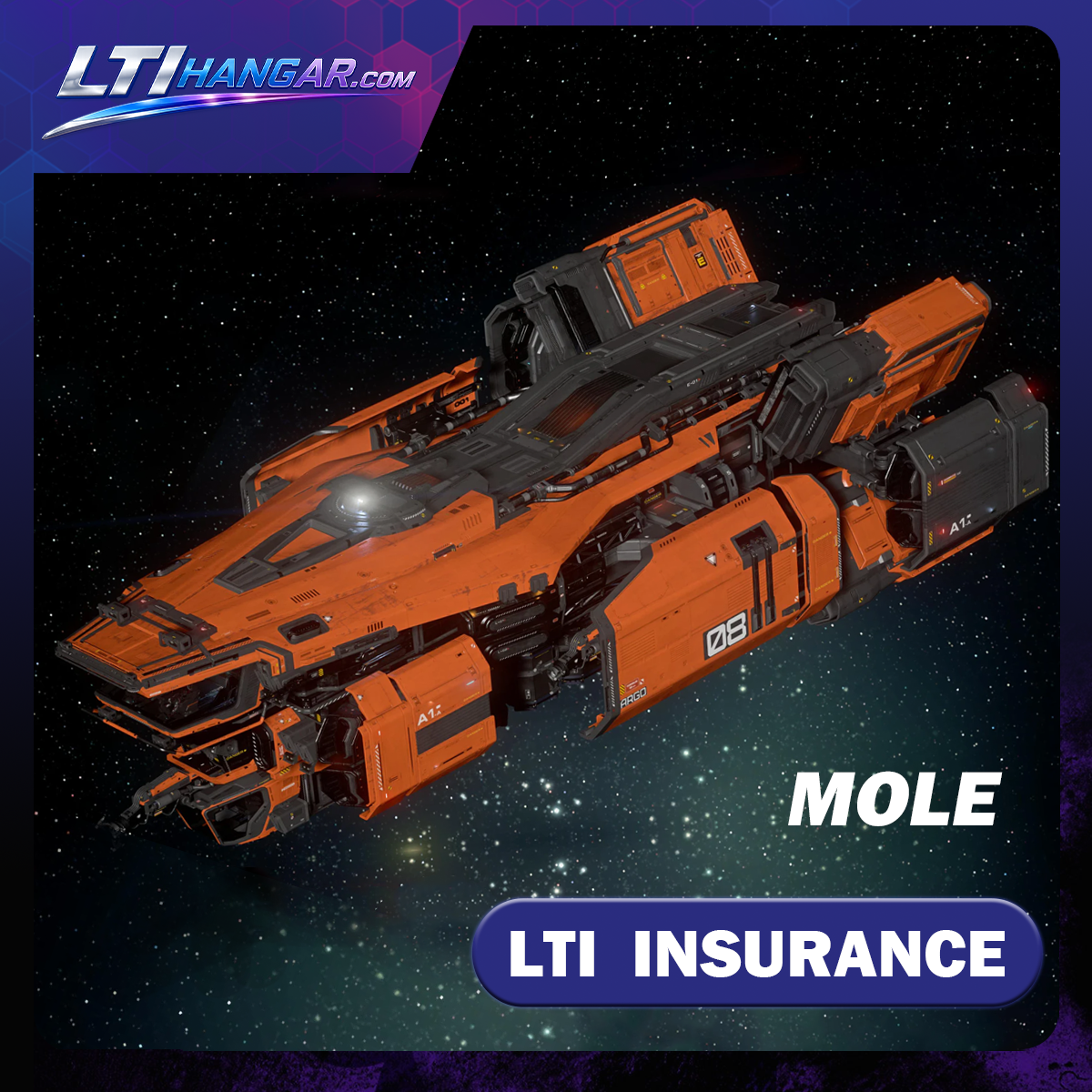
MOLE - Standalone Ship
Enter Your Information
Please check our delivery times.
- Star Citizen Ships: Average Time 20–30 Minutes; Maximum 12 hours
- Star Citizen aUEC: Delivered Within 3–5 Minutes.
- Star Citizen CCU: Average Time 20–30 Minutes; Maximum 12 Hours.
- Star Citizen Paints: Average Time 5 Minutes; Maximum 12 Hours.
- Star Citizen Items: Average Time 5 Minutes; Maximum 12 Hours.
How to Claim Star Citizen Ships,CCUs,Paints,and Items
- In order to accept this item, you must have an account on robertspaceindustries.com. Access to Star Citizen (the game) requires a game package.
- All orders will be sent to the email you input when you check out. You will receive an email with the title "Someone sent you a gift from Roberts Space Industries" from no-reply@robertsspaceindustries.com . Open the email and click the blue "claim gift" button to claim your order.
- If you want your order to end up in an account that's not attached to the email you've provided us, all you have to do is log onto the correct RSI account in a separate tab before claiming the item (please refresh the RSI page to ensure you're on the correct account). If you're buying this item as a gift, all you have to do is right click the blue "claim gift" button and copy link address (make sure you're logged out of your RSI account so you don't accidently claim it).
Critical Safety Instructions
- ATTENTION: All ships and items can be gifted only once. Once claimed, the item (Ship, CCU, Paint, Armor, Weapon, etc.) is permanently bound to the account that accepted it. Therefore, please be careful to be logged into the correct RSI account when you redeem your gift email.
- Make sure you are logged into the specific RSI account where you want to receive the item in the same browser before you claim the gift. We are not responsible if you claim the item on the wrong RSI account.
How to Apply a CCU (Ship Upgrade)
If you purchased a Cross Chassis Upgrade (CCU) to transform one ship into another, follow these steps:
- Claim the Item: Follow the delivery steps above to add the CCU to your RSI Hangar.
- Locate in Hangar: Go to the "My Hangar" section on the RSI website.
- Apply Upgrade: Click on the arrow next to your CCU to expand the details. Click the "Apply Upgrade" button. Select the "Source Ship" you wish to upgrade and enter your RSI password to finalize the process.
Important Note: The insurance (e.g., LTI) and other bonuses from the original base ship will carry over to the new ship.
Upgrading from a lower-value ship to a higher-value ship may require multiple CCUs.
For example: If you purchase an upgrade from a Merchantman to a Polaris, we will send you two CCUs—one from Merchantman to Hammerhead, and another from Hammerhead to Polaris. The larger the price gap of the upgrade, the greater the number of CCUs you will receive.
Shop with Confidence: Customer Protection Policy
Purchase Protection
By making a purchase on our website, you are guaranteed to receive the correct item exactly as advertised. If we are unable to deliver the item, we will offer either a replacement or a full refund. You may choose whichever option you prefer.
After-Sale Protection
All items we sell come from our own inventory and are covered by our lifetime after-sale protection policy. If any issue occurs with an item during delivery or at any time after the delivery has been completed, we will conduct an investigation. If it is determined that we are at fault, we will provide either a replacement or a refund.
In most cases, this will result in a full replacement, a full refund, or an upgrade to a better item if the exact replacement is unavailable.
24/7 Customer Support
Experience unparalleled support with our 24/7 online customer service! Whether you have questions, need assistance, or require immediate solutions, our dedicated team is always ready to help. No matter the time or day, we're just a click away, ensuring you receive the support you need when you need it most.
Join us now discord experience the LTI Hangar difference!
In Stock · RSI Gift Delivery · Average 20 Min Delivery

Contact our Discord live support; we are online 24/7.

Why Players Choose LTI Hangar
Fast ship delivery, real support, and a clear RSI gifting process — built for Star Citizen players who want a smoother buying experience.
Average 20–30 minute delivery
24/7 Discord customer support
A team formed by gamers with over ten years of experience.
Secure Shopping,Own stock, not third-party listings
Reliable After-Sale Support
Orders can be tracked in real time.
Frequently Asked Questions
How long does delivery usually take?
- Star Citizen ship,ccu,paints,items orders are usually delivered within 20–30 minutes. In rare cases, delivery may take up to 12 hours due to order volume, RSI gifting limits, account status, or manual verification requirements.
- In most cases, we do not allow ship deliveries to exceed 12 hours unless there is an exceptional issue such as RSI system limitations, account restrictions, or required customer verification.
Is my ship order protected?
- Yes. Security and reliability are our top priorities. All ships sold by LTI Hangar come from our own inventory, with no external sellers or unknown third-party suppliers involved.
- Each ship order is handled with clear delivery records, allowing the delivery process to be reviewed and traced if support is ever needed. We also provide lifetime after-sale protection for eligible delivery-related issues.
- This level of own-stock control, traceable delivery, and after-sale protection is not commonly offered by many third-party marketplaces, which is why many customers choose LTI Hangar for safer Star Citizen ship purchases.
What Is Lifetime After-Sale Protection?Why Can’t Other Marketplaces Offer This Level of Protection?
- In the extremely rare event that an issue occurs with an item during delivery or at any time after delivery has been completed, we will conduct an investigation. If it is determined that the issue was caused by our fault, we will provide either a replacement or a refund.
- To help us review the case accurately, you may be required to assist us by providing relevant evidence, such as RSI Hangar screenshots, order details, and RSI Hangar Log records.
- The RSI Hangar Log can help track the status and history of each ship, including whether the item was claimed, exchanged, melted, transferred, or otherwise changed after delivery. We will review the evidence you provide to determine the cause of the issue.
- This level of protection is not commonly offered by many third-party marketplaces because they often rely on external sellers or mixed inventory sources. At LTI Hangar, all ships come from our own inventory, and each order has clear delivery records, allowing us to provide safer and more reliable support.
Can I request a refund after claiming the ship,ccu,paints,items?
- Once the RSI gift has been claimed, the ship,ccu,paints,items becomes bound to the receiving RSI account. Due to the limitations of the Star Citizen gifting system, a claimed ship normally cannot be gifted again, returned, reversed, or re-delivered. For this reason, claimed items are normally not eligible for cancellation or refund.
- A correction, replacement, or refund may only be provided if we confirm that the issue was caused by our side, such as a wrong item being sent, an order delivery error, or another verified delivery issue caused by us.
- Before claiming the RSI gift, please make sure you are logged into the correct RSI account. Once the gift is claimed to the wrong account, it normally cannot be moved to another account.
What happens if the wrong ship,ccu,paints,items is delivered?
If we confirm that the wrong item was delivered due to our error, we will review the case and provide a correction, replacement, or refund where applicable. Please contact us with your order number, checkout email, and clear screenshots of your RSI Hangar.
Why are the names of the Star Citizen ships I received different?
Standalone CCU'ed is a complete ship or vehicle. It is not an upgrade! CCU'ed simply means that it was created by upgrading a smaller ship or vehicle to the one you are buying. Please also note that in the gift email, only the ship that was used as the base for upgrading will be named. Please don't worry, the actual ship you will see in your hangar will be the one you've ordered.
For example, this is how a CCU'ed Polaris looks like in hangar on RSI website.


HOW IT WORKS
Fast simple and secure, learn how it works!

HOW SECURE IS IT?
Security is our number one priority.Unlike other websites, we only sell ourown stock. We do not allow anyexternal sellers on our platform. Thisensures full security and peace ofmind as well as blazing fast
deliveries!

HOW WE DELIVER?
The item will be delivered via the RSI gifting system. After placing your order, we will send the item to the email address you provided at checkout. Once you receive the gift email, simply open it and click “Claim,” and the item will be added to the account you are logged into.

AFTER-SALE PROTECTION
All items we sell come from our own inventory and are covered by our after-sale protection policy.,is any issue with an item during delivery or within up to 6 months after the delivery has been completed, we will conduct an investigation. If it is determined that we are at fault, we will provide either a replacement or a refund.

CONTACT US
Star Citizen is a complex universe! If you have any questions, we are always happy to help! We are online 24 hours a day to assist you. Plus, our Discord channel features even more discount codes and giveaways!
ARGO MOLE Standalone Ship Gameplay Guide
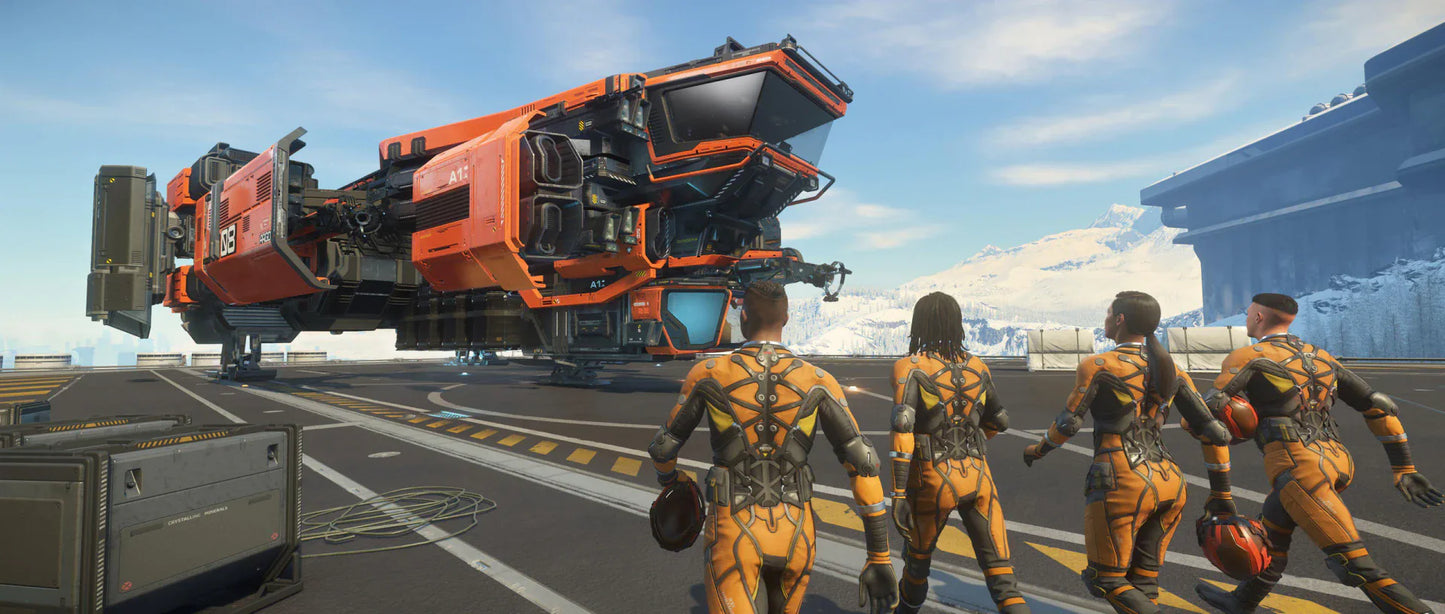
The ARGO MOLE is a dedicated multi-crew mining ship built for Star Citizen players who want larger crewed mining output, coordinated gameplay, and a practical step above the solo-focused MISC Prospector. Developed by Argo Astronautics, the MOLE is not a cargo hauler, combat ship, refinery ship, or casual daily driver. It is a working industrial mining platform designed around three independent mining stations and a crew that can break larger rocks faster when properly coordinated.
Official RSI material describes the MOLE as a multi-crew mining ship with three independently controlled articulated extraction stations, built to make bigger mining jobs feel smaller. The ship also uses ARGO’s trilateral mining system and carries 24 mineral pods, each holding 12 SCU, with official sale material referencing 96 SCU flying capacity.
The MOLE is the mining ship you choose when you want crewed extraction power, not solo convenience or built-in refining.
Build Your ARGO Mining Fleet with the MOLE
The MOLE is one of the more direct upgrades for players who enjoy mining but feel limited by the standalone Prospector's yield boundaries. If you are looking to acquire this ARGO industrial miner, you can explore our available options in the Star Citizen Ships and Vehicles Collection.
MOLE Key Specifications
| Specification | ARGO MOLE | Gameplay Meaning |
|---|---|---|
| Manufacturer | Argo Astronautics | Industrial manufacturer focused on practical work ships and utility craft. |
| Role | Multi-Crew Mining | Built for coordinated extraction, not cargo hauling or combat. |
| Status | Flight Ready / current gameplay reference | The MOLE launched as part of Star Citizen Alpha 3.8’s ship content, with RSI describing ARGO’s new miner as taking to the stars. |
| Mining Stations | 3 independent crew-operated stations | The main reason to buy the MOLE; each laser requires a player in its dedicated mining seat and cannot be toggled from the pilot deck. |
| Mineral Pods | 24 pods, 12 SCU each | Gives the MOLE a significantly larger operational mining loop than the Prospector. |
| Flying Capacity | 96 SCU current reference capacity | Supports longer mining runs than smaller single-seat hulls, though yield relies heavily on crew skill and ore composition. |
| Crew Focus | Multi-operator mining crew | Designed around a dedicated pilot plus mining turret operators, not a solo flight deck setup. |
| Refinery | No onboard refinery | The MOLE extracts and stores unrefined material; refining requires orbital station workflows or external cargo loops. |
| Crew Facilities | 4 bunk beds, rest area, shower, toilet | Fully supports extended industrial operations and multi-player deployment out in the field. |
| Core Gameplay | Asteroid, surface, and group mining | Best for players who want accelerated mining output with friends or organizational fleets. |
Note: Star Citizen mining balance, mining modules, HUD behavior, refinery economy, and ore values can change between patches. Current RSI support material also notes a temporary Prospector loaner for the MOLE due to a mining HUD issue, so product pages should treat current mining usability notes as patch-dependent.
What Makes the MOLE Valuable?
The MOLE is valuable because it gives mining players more extraction power without jumping all the way into capital-scale logistics. It acts as the definitive intermediate step between the solo Prospector and massive future industrial platforms like the Arrastra or Orion.
Its core selling point centers directly on its three specialized mining lasers. RSI’s Q&A confirms that each laser is controlled entirely independently from its respective turret station. There is no method for a single pilot to direct all three lasers simultaneously from the cockpit seat.
The MOLE is not a bigger solo miner. It is a proper crewed mining ship.
For a player who mines alone every day, the Prospector remains the easier loop. For a player with friends, crew networks, or an industrial organization, the MOLE becomes much more appealing because multiple people can contribute directly to fracturing, extraction, and load management at the exact same time.
Multi-Crew Mining Gameplay Role
The MOLE’s main role is coordinated mining. It is designed for a crew that wants to locate, fracture, extract, and store mass quantities of high-value ore far more efficiently than a solitary mining laser can manage.
In practical gameplay, the MOLE excels across several roles:
| Gameplay Use | Why the MOLE Fits |
|---|---|
| Group mining sessions | Three independent mining seats give multiple players active, highly engaging jobs. |
| Larger rock breaking | Multiple lasers can converge energy outputs on exceptionally difficult or massive deposits. |
| Industrial org gameplay | Integrates cleanly alongside dedicated refinery systems, transport hauling, and combat escorts. |
| Mining training ship | Allows newer miners to practice laser management safely while a pilot handles flight position. |
| Longer mining trips | Expanded pod arrays and complete crew living quarters facilitate sustained orbital or surface loops. |
The MOLE should be described as a crew mining ship, not a casual solo profit button.
Three Independent Mining Lasers
The defining mechanical layout of the MOLE is its three independently operated mining stations. RSI’s Q&A highlights this framework clearly: each laser requires an active player inside the mining seat, and the laser array will instantly safely deactivate if the operator leaves their terminal.
This creates a completely different gameplay rhythm compared to single-seat extraction. The pilot focuses on scanning and ship placement, maintaining alignment with the ore face, while the mining operators manage energy sliders, resistance windows, extraction throttles, and rock volatility.
The MOLE is at its best when one player flies and three players mine.
That core dynamic sets the right expectation immediately. Solo use is structurally possible via seat swapping, but it skips the mechanical intent and efficiency limits of the hull's design.
Mineral Pod Capacity and Mining Storage
The MOLE delivers a massive storage workflow expansion. Official documentation specifies 24 integrated mineral pods, each boasting a 12 SCU volume, combining for a referenced 96 SCU operating flight capacity.
The MOLE offers much more mining storage than a Prospector, but it still depends on refinery and logistics support after the ore is collected.
This capacity allows teams to sustain longer operations, collect more high-tier material per run, and make maximum use of group coordination before heading back to port.
No Onboard Refinery
The MOLE does not possess built-in refining capabilities. RSI’s Q&A confirms that ore refinement remains a completely distinct step in the industrial loop, noting that neither the MOLE nor the Prospector filters raw elements inside their frames.
The MOLE extracts ore; it does not refine it.
This means complete industrial loops require strategic planning. After filling the pods, crews must transition their raw hauls to orbital refinery stations, dedicated transport ships, or future logistics partners to process and sell the market commodities efficiently.
Mining Attachments and Laser Setup
The MOLE supports highly customizable laser loadouts. Operators can mount distinct attachments across each individual mining arm, allowing groups to think critically about mixing complementary laser attributes for tricky tasks.
A practical MOLE crew may utilize various configurations:
- Balanced Lasers: Standardized multi-purpose heads ideal for general exploration runs.
- High-Power Cracking: Heavy-output heads configured specifically to break massive, resistant deposits.
- Extraction Focus: Optimization heads optimized for clean material collection after fracturing is complete.
The MOLE rewards preparation, crew coordination, and mining knowledge more than basic point-and-click mining.
Solo Gameplay Expectations
While a lone operator can technically alternate between the pilot deck and the lower turret chairs, the workflow is highly inefficient because lasers instantly power down when a seat is vacated. Lasers cannot be automated or fired from the flight console using computer blades.
Solo MOLE mining is possible, but the Prospector is usually the better solo mining experience.
This is one of the most critical customer expectations to clarify. The MOLE is not intrinsically "better" than the Prospector across the board; it is significantly better with a crew, but less optimized for a completely solo player.
Crew Roles on the MOLE
The MOLE operates at peak efficiency when every player understands their specific job profile:
- Pilot / Captain: Locates mining sectors, manages precise hover positioning, monitors external environment safety, and directs laser focus.
- Mining Operators (1-3): Control their respective independent laser stations, adjusting power throttles to crack or extract materials cleanly.
- Logistics / Escort Partners: Optional external support to scout high-tier deposits, protect the loaded ship from hostiles, or transport refined commodities.
A practical MOLE session should feel like a coordinated mining job, not a solo Prospector run with a larger hold. The pilot searches for deposits, positions the ship, keeps the crew aware of terrain or threats, and decides when the run is worth continuing. The mining operators need to communicate about laser power, fracture windows, instability, and which rocks are worth extracting. Sometimes all three lasers focus on one difficult deposit; other times each operator works a separate target to save time. Once the pods start filling, the crew still needs to think about ore quality, refinery location, route safety, and whether staying longer is worth the risk. In real use, the MOLE rewards communication and mining knowledge more than simply having more mining lasers.
Crew Facilities and Living Spaces
The interior layout features extensive habitability elements, including four bunk beds that double as escape pods, integrated shower and toilet fixtures, gear lockers, and a central rest lounge equipped with basic galley systems. This transforms the hull into a genuine mobile home base capable of supporting operations deep into isolated asteroid belts.
ARGO MOLE vs MISC Prospector
The MOLE and Prospector represent two entirely separate stages of an industrial career path:
| Ship | Best For | Main Difference |
|---|---|---|
| MISC Prospector | Solo mining | Cheaper, highly accessible, and streamlined for individual pilots. |
| ARGO MOLE | Multi-crew mining | Three independent extraction lasers and a quadrupled raw ore pod volume. |
Choose the Prospector if you mostly mine solo. Choose the MOLE if you want a real crewed mining ship.
MOLE vs Arrastra & Orion
| Ship | Best For | Compared with MOLE |
|---|---|---|
| ARGO MOLE | Medium multi-crew mining | Fully flyable, practical, and highly manageable for small teams today. |
| RSI Arrastra | Large mining / refining concept | A larger future-facing industrial platform with built-in refining bays. |
| RSI Orion | Capital-scale industrial mining | Massive, capital-class fleet asset geared for massive corporate operations. |
MOLE vs Other Star Citizen Industrial Ships
| Ship Fleet Option | Primary Core Role | Compared with MOLE |
|---|---|---|
| MISC Expanse | Refining Support | The Expanse focuses purely on processing raw material; the MOLE focuses on raw extraction. They complement each other perfectly. |
| ARGO RAFT | Cargo Transport | The RAFT is built to move standard freight containers; the MOLE is built exclusively to extract raw ore. |
| Drake Vulture | Solo Salvage | The Vulture generates profit via hull scraping and salvaging; the MOLE generates profit through geology loops. |
| Aegis Reclaimer | Heavy Salvage | The Reclaimer is a massive, multi-crew scrap reclamation asset; the MOLE is a medium-sized mining platform. |
| Caterpillar / C2 Hercules | Cargo Hauling | Heavy haulers transport refined commodities to major market hubs; the MOLE feeds material into that logistics chain. |
Explore MOLE CCU Upgrade Options
Ready to upgrade your current pledge or starter ship into a proper crewed industrial miner? View our available Star Citizen MOLE CCU Upgrades to take the next step.
MOLE Strengths and Limitations
| Strategic Strengths | Operational Limitations |
|---|---|
| Three independent mining stations create high multi-crew output value. | Highly inefficient for pure solo gameplay due to seat-swapping constraints. |
| 24 mineral pods providing a referenced 96 SCU capacity for longer runs. | Mining lasers are completely locked out from the pilot console deck. |
| Supports diverse mining attachments across arms for custom setup layouts. | Does not feature an onboard refinery; relies on station drop-offs. |
| Complete habitability facilities provide excellent roleplay immersion. | Lacks offensive weaponry and relies heavily on escorts in dangerous space. |
| Fully flyable, field-tested medium miner available in-game today. | Usability can fluctuate based on live patch HUD behaviors and mining balance. |
Who Should Buy the ARGO MOLE?
The MOLE is best for players who enjoy industrial gameplay and want to move cleanly past the limitations of solo Prospector loops. It is perfectly suited for active mining teams, small corporate organizations, players who fly consistently with friends, and anyone looking for a authentic industrial platform with deeply integrated cooperative loops.
Crews looking for isolated solo profit paths should remain with the Prospector. Those looking for integrated refinery loops or capital-scale investments should evaluate long-term concepts like the Arrastra or Orion. But for an immediately accessible, hard-working multi-laser extraction ship, the ARGO MOLE is an exceptional industrial upgrade.
MOLE FAQ
Is the MOLE worth buying in Star Citizen?
The MOLE is highly worth buying if you regularly mine with a group and want to tackle larger, high-value deposits that solo lasers cannot crack. It is not recommended if you primarily play alone, as the Prospector handles solo extraction much more seamlessly.
Is the MOLE Flight Ready?
Yes. The ARGO MOLE launched officially during Alpha 3.8 and has been an active, fully flyable part of Star Citizen's live industrial gameplay loops ever since.
Can the pilot operate any mining lasers from the cockpit?
No. All three mining lasers are mounted to independent lower articulating turrets. The pilot can scan for rocks and maneuver the vessel, but cannot activate or fire the lasers from the flight deck.
Can the MOLE be used solo?
It can be done by landing the ship, leaving the pilot seat, and climbing into a mining turret. However, because the laser shuts off the moment you exit the chair, you cannot fly and mine at the same time, making solo operation incredibly slow and tedious.
How much cargo/ore storage does the MOLE have?
The MOLE utilizes an external pod framework containing 24 mineral pods at 12 SCU each, resulting in an official flying capacity reference of 96 SCU.
Does the MOLE have an onboard refinery?
No. The MOLE is an extraction and containment platform only. It holds unrefined ore inside its pods, which must be brought to an orbital refinery station or industrial processing hub to turn into sellable cargo.
Can the MOLE mount different mining heads?
Yes. Each mining arm can be customized independently with various lasers, modules, and filtering attachments, allowing your crew to create specialized loadouts for fracturing or pure collection.
Does the MOLE contain crew living quarters?
Yes. The habitability deck contains four bunk beds that serve as escape pods, clothes lockers, a shared bathroom/shower unit, and a small kitchen lounge area for the crew.
Why is there a temporary Prospector loaner listed for MOLE owners?
The RSI Loaner Ship Matrix occasionally assigns a temporary Prospector loaner to MOLE, Arrastra, or Orion owners to ensure players retain basic solo mining access during specific patch phases or HUD issue resolutions. This is temporary and subject to patch notes.
Is the MOLE a good choice for organizations?
Absolutely. It is one of the foundational multi-crew ships for industrial gameplay, offering an excellent team-based activity where everyone has an active role in generating organizational profit.


